Deadlock Soul Container
Blender Addon
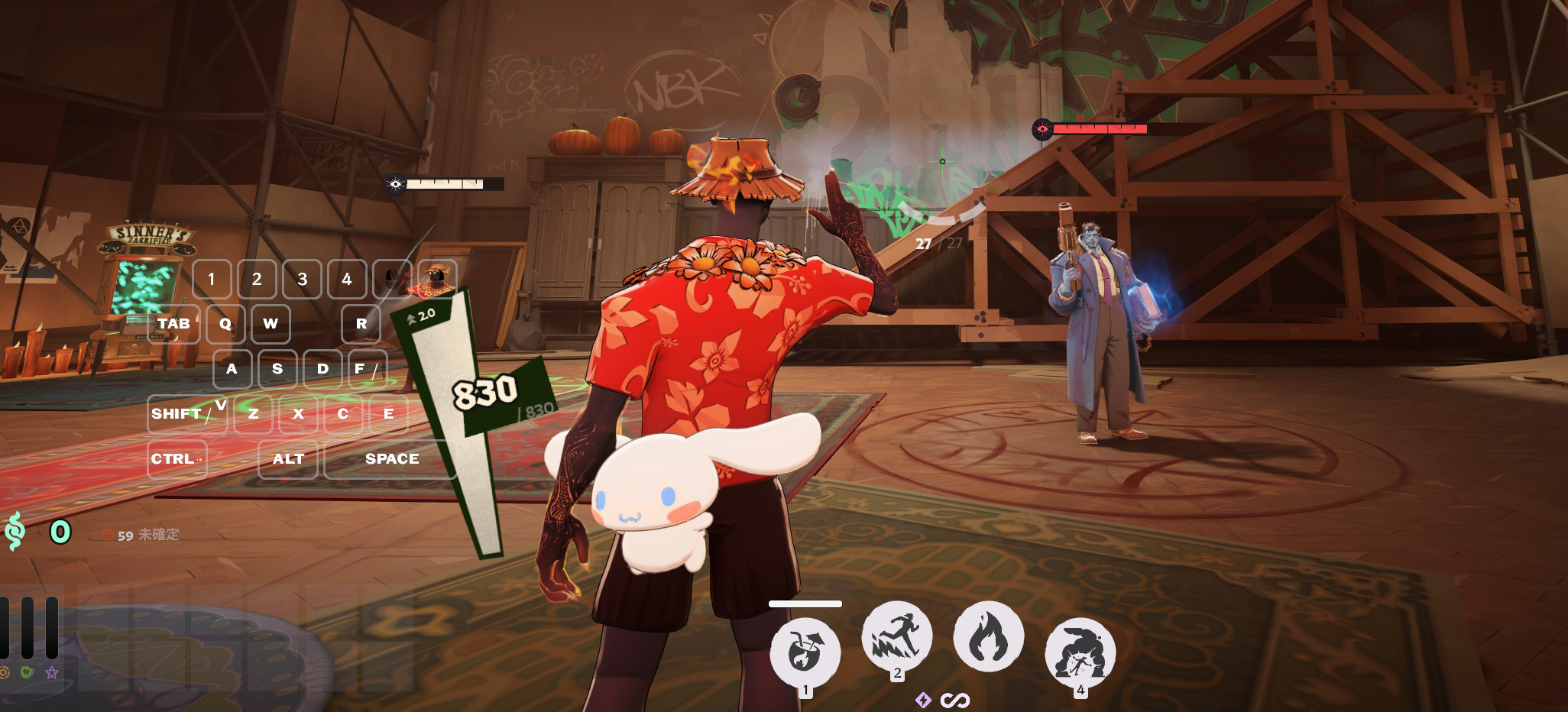
Turns a 3D model into a Deadlock soul container mod.
01What you need
| Blender 4.2+ | A version with the Extensions system |
| Reduced CSDK 12 | Deadlock's compiler tools, from the Google Drive link on the download page |
| Steam | With Deadlock installed. Keep it running and signed in |
| Deadlock Mod Manager | To put the mod into the game (site) |
02Install
Take the zip from Releases and give it to Edit → Preferences → Add-ons → ▼ → Install from Disk as it is (do not unpack it). Tick it once it shows up in the list.
Point it at the CSDK (once)
- On the same screen, expand ▸ on the "Deadlock Soul Container" row
- CSDK 12 folder → the folder icon
- Select
Reduced_CSDK_12and press Accept
Reduced_CSDK_12
  ├─ game\        ← the folder where you see these two
  └─ content\
If the name is doubled (Reduced_CSDK_12\Reduced_CSDK_12\), the inner one is the right choice.
The path lives in your Blender preferences, so it is remembered across .blend files.
03Use it
Press N in the 3D view and open the "Soul Container" tab.
The objects it generates are collected in SoulContainer.
Running it again does not rebuild them; delete the generated objects first if you want to start over.
<mod name>.vpk appears in the output folder.
Material
Open "Material (vmat)" in the panel and set the Base Color and the other images.
- If the mesh has no material, one is made for you
- Several materials work as they are
- Set it whenever you like — before or after step 1
04Into the game
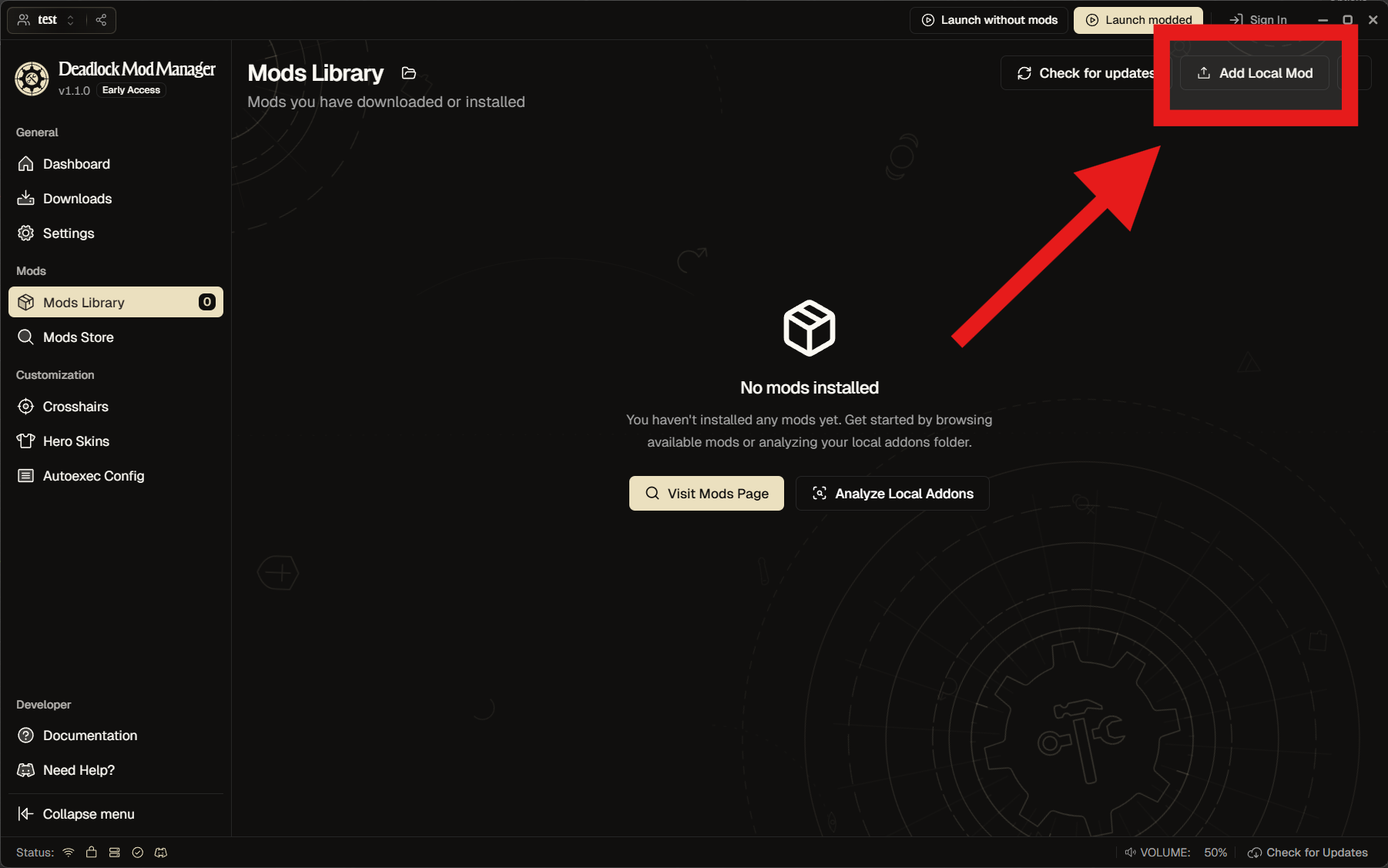
In Deadlock Mod Manager, upload the vpk from Mods Library → Add local mod.
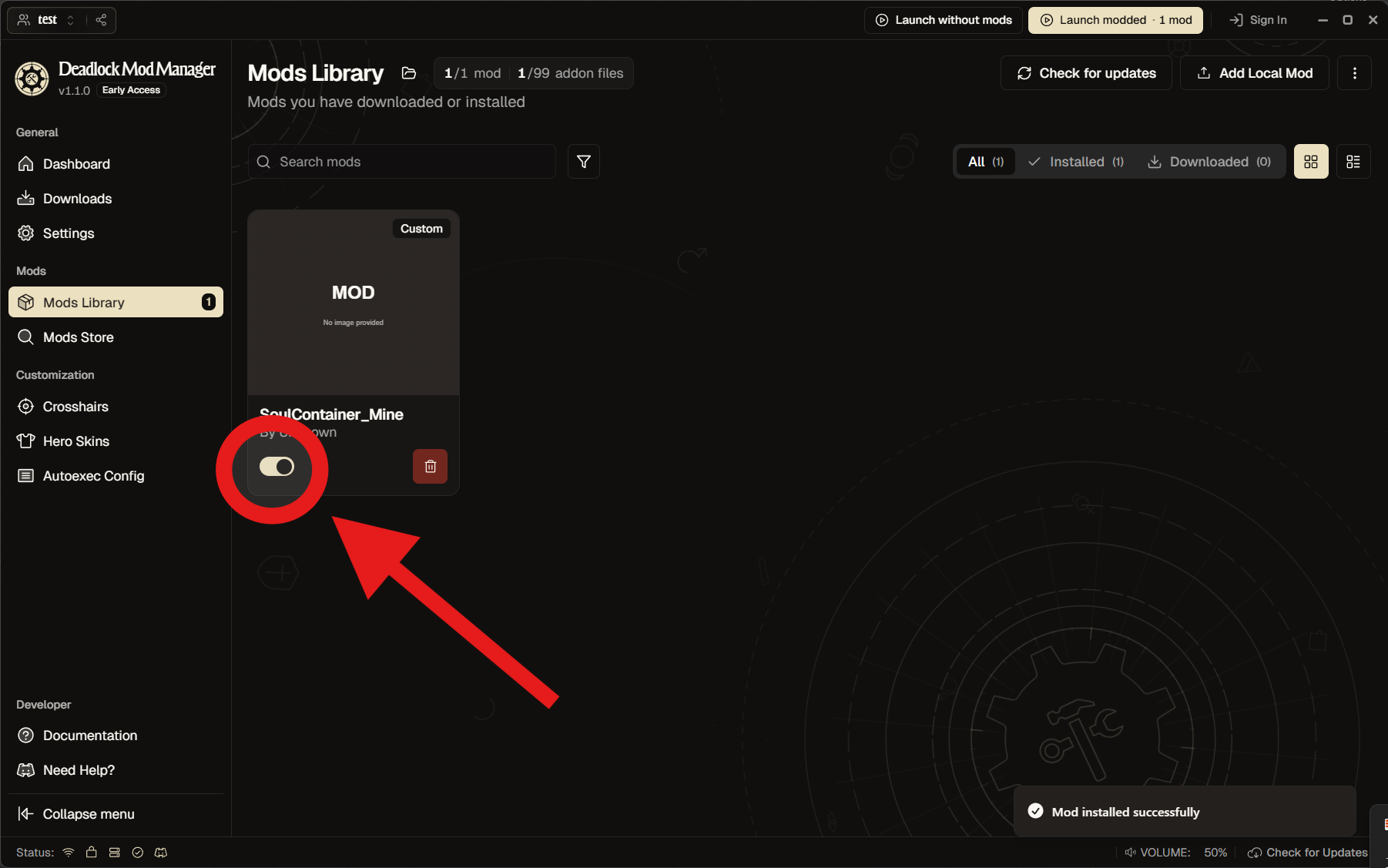
Go back one screen and enable it.
05When it does not work
"over the compiler's limit of 524,288"
Too many vertices. Bring the count down, for example with a Decimate modifier (you do not have to apply it).
"CSDK 12 not found"
Check the folder in the preferences. The right one contains game\bin_cs2\win64\resourcecompiler.exe.
The compiler returns an error
Check that Steam is running. If that does not help, the raw output is in compile.log, next to the exported files.
What it cannot do
- Soul containers only — hero models need a different pipeline
- One mesh at a time (join them in Blender first)
06How it works
What runs inside. Copy the whole thing into an AI when you want help with a problem or a change.
[Make it a soul container] — six steps
- Copies the selected mesh. The copy owns its own mesh data and materials, so nothing that follows reaches your original model
- Places a wireframe size guide (radius 6.325 units), an armature with the bone
joint1and the collision sphere into theSoulContainercollection - Clears the parent and applies location, rotation and scale
- Scales it to radius 6.325 units — the size of the original
- Moves the bounding box centre to the origin (that is where the character's hand is)
- Adds an armature modifier and weighs every vertex to
joint1at 100%
The original soul container: 1 unit = 1 inch, radius about 6.3 units (about 32cm across), one bone called joint1, every vertex weighted to it at 100%, collision sphere of radius 7.
[Build the mod] — five steps
- Clears the previous build (file names come from material names, so old files would otherwise end up in the vpk)
- Exports FBX with
global_scale=0.0254. Blender writes 1 BU as 100cm and Source 2 reads cm as inches, so without it everything comes out 39.37× too big - Writes one
.vmatper material and one line each into theremapstable of the.vmdl. The template is apbr.vfxNPR setup; only values are swapped in - Compiles with
game\bin_cs2\win64\resourcecompiler.exe - Collects the
*_cfiles into a vpk (with the three rotation-fix particles)
Only the compiler ingame\bin_cs2\win64\works. The ones inbin\,bin_tools\andbin_server\stop withSchema mismatch: resourcecompiler.dll vs particles.dll.
Traps already hit
- A
.001suffix on a material name is read as a file extension. The material falls off and you get a red wireframe ball. Names are swapped for ASCII ones during the export only. Blender keeps names unique by itself, so anything holding the wanted name is parked aside, the names go through temporary ones, and the result is verified before exporting - Textures whose sides are not powers of two fail mip generation.
Cannot filter non-power-of-two texture 1200x1024x1!— the vmat then fails to compile and the warning says the mesh is "referencing missing material", two steps away from the cause. Textures are resized to the nearest power of two on export (images inside Blender are untouched) - The vertex ceiling is 524,288, because a skinned mesh uses the GPU animated vertex cache. The check counts the vertices that will be exported, so a Decimate modifier counts even unapplied
obj.bound_boxandmatrix_worldare stale until the dependency graph catches up.view_layer.update()is called before measuring, and sizes come from the vertices
The rotation-fix particles
A soul container is drawn by particles, not by the model (particles/generic/holding_gold_neutral_model.vpcf). Swapping the model alone does not make it follow the character's facing — the original particle locks rotation through m_bLockRot on C_OP_PositionLock.
Three fixed particles are bundled (the approach is borrowed from the author of mod 657811). You can leave them out in the settings. It corrects yaw only, so crouch-walking still looks slightly off.
No Valve models or textures are bundled. The size guide sphere is generated at runtime.